Sidewize Scrolling Graphics Breakdown
Following on from the Odin Computer Graphics Part Two post where I mentioned Sidewize, I thought I’d delve into a little more detail on the construction of the Sidewize scrolling backdrops. Sidewize actually does run at 50 frames per second with zero flicker, on real hardware (issue 2 Spectrums, at least). YMMV on emulators, since this game is running really close to the metal! Back in 1987, with a Speccy connected to the typical RF connector on the TV, this was truly a joy to behold!
The game itself looks something like this when running (yes, I know there is a slight glitch in the “ground” scrolling area. That does not occur in the game and only occurs here because I got fed up fighting with Photoshop).
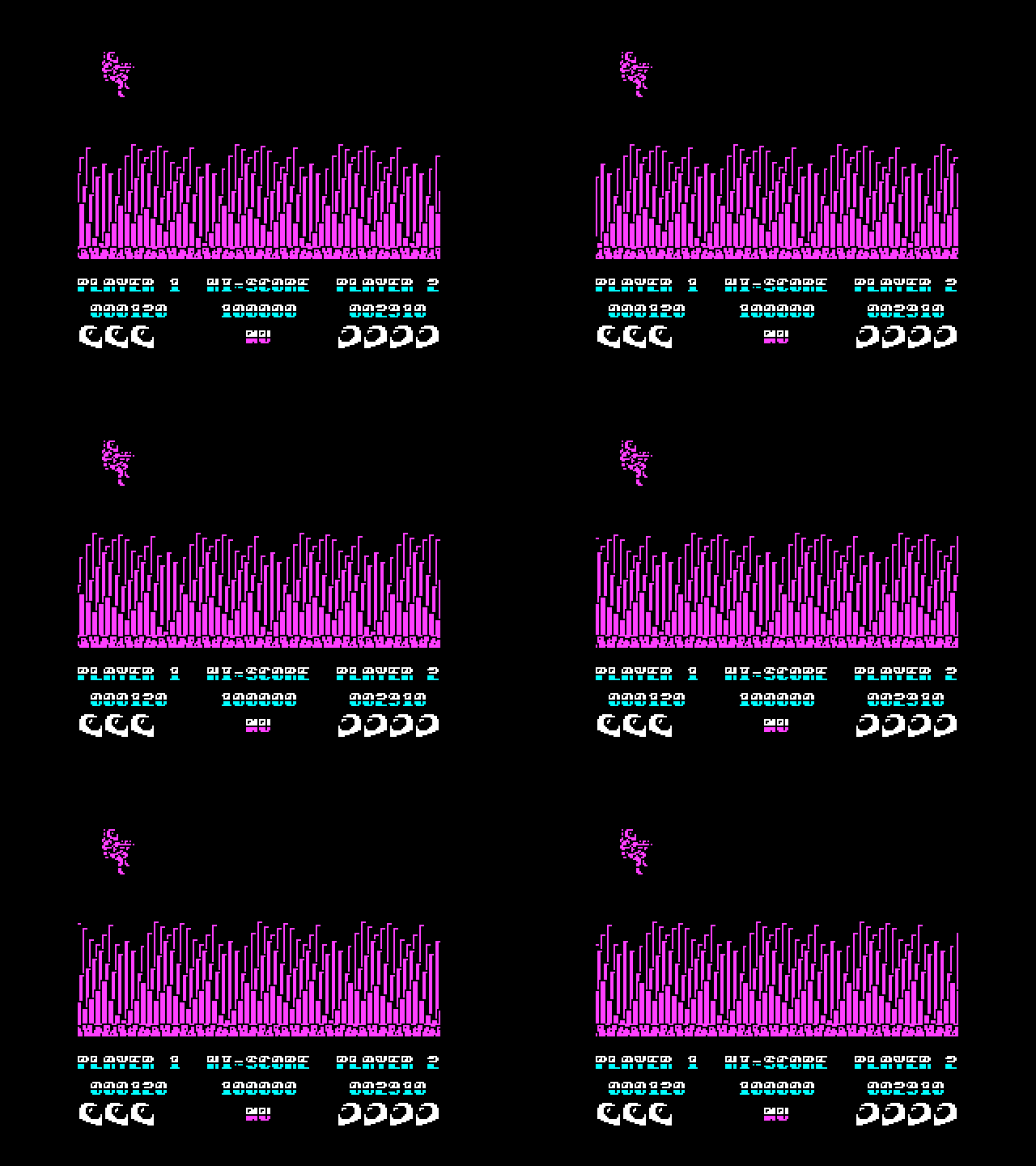
Typical appearance of a running Sidewize scrolling level
The main scrolling backdrop is constructed of one 64x64 pixel block, which is unique and distinct per level. Some of the levels split up how this block appears (floor and ceiling, for example). This block is constructed so that it can be tiled horizontally, so construction is pretty simple (no consideration for tile adjacency other than that). For the above level, that block looks like this:
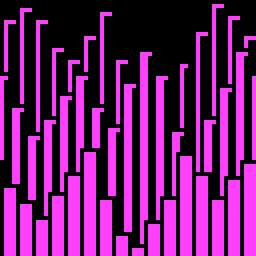
64x64 pixel block used to compose the backdrops
There is a trick to making these blocks scroll smoothly. In Sidewize, I create 8 instances of this block in 0, 2, 4, 6, 8, 12, and 14-pixel shifted offsets, such that pixels scrolling off the left edge wrap-around, and appear on the right side of the block, creating 8 pre-shifted blocks. This is why these blocks need to tile horizontally.
Armed with these 8 pre-shifted blocks, we can now compose a scrolling backdrop by tiling these blocks side by side, and offsetting the position of the tiles for every 16 pixels of “movement”. To illustrate this, I’ve extracted one tile below and you can see how it moves across the screen. Since each block is shifted in units of 2 pixels, we move the block to the left every 8 updates or every 16 pixels. I’ve slowed down the movement in order to illustrate this a bit better.
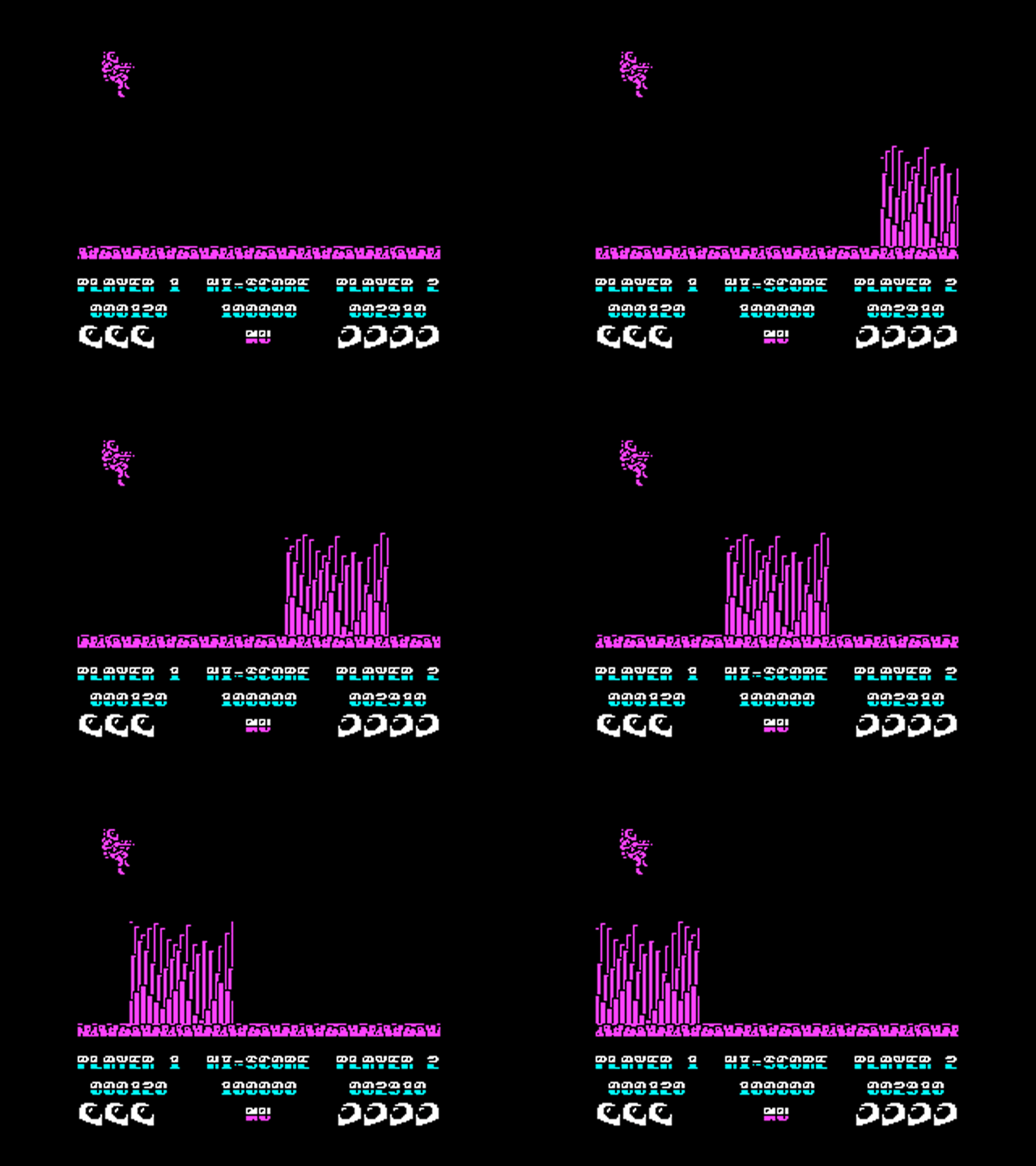
Illustration of Sidewize "pre-shifted blocks" employed to compose the scrolling backdrop
The scrolling foreground “floor” was done using a similar technique. The thing with this graphics configuration is that it then becomes very easy to blast these blocks to the screen using the stack pointer based techniques I mention in the Odin pt. 2 post.
And so that is how Sidewize was done!
The sequel to Sidewize, Crosswize, while building on some of the coding techniques developed for Sidewize, was much more elaborate, and I’ll put together a visual illustration of how it composed the scrolling backdrops in a future post.
See here for more technical info on Sidewize!
If you enjoy my blog, you can help support it by buying me a coffee!
If you enjoyed this, I'm writing something much deeper on Substack. A serialized memoir. Free to read.
Subscribe on Substack →Join the conversation
Comments are open on my Substack. Paid subscribers can leave notes, reply to posts, and join the community discussion.
Prefer the open web? Find me on Mastodon. I read everything and reply.
Comments (archived from the original blog)